How to ask for a video testimonial (and actually get one)
Most of your customers would happily say something nice about your work on camera. They just never get asked — or the ask lands at the wrong moment, buried under too many steps. Here's the timing, the exact wording, and the follow-up sequence that gets a clip recorded.
Why the usual ask fails
"Would you mind recording a quick testimonial?" sounds harmless, but it hands your customer a pile of homework: figure out what to say, find a quiet spot, work out how to record, guess how long it should be, then somehow send you a file.
Nobody says no out loud. They just quietly never get around to it. The awkwardness people fear is mostly effort in disguise — and you can remove almost all of it by fixing three things: when you ask, what you say, and how they record.
Ask at a peak moment, not on your schedule
The single biggest lever is timing. Ask while someone is feeling the value of your work, and the words pour out. Ask three months later, and even your biggest fan struggles to remember specifics.
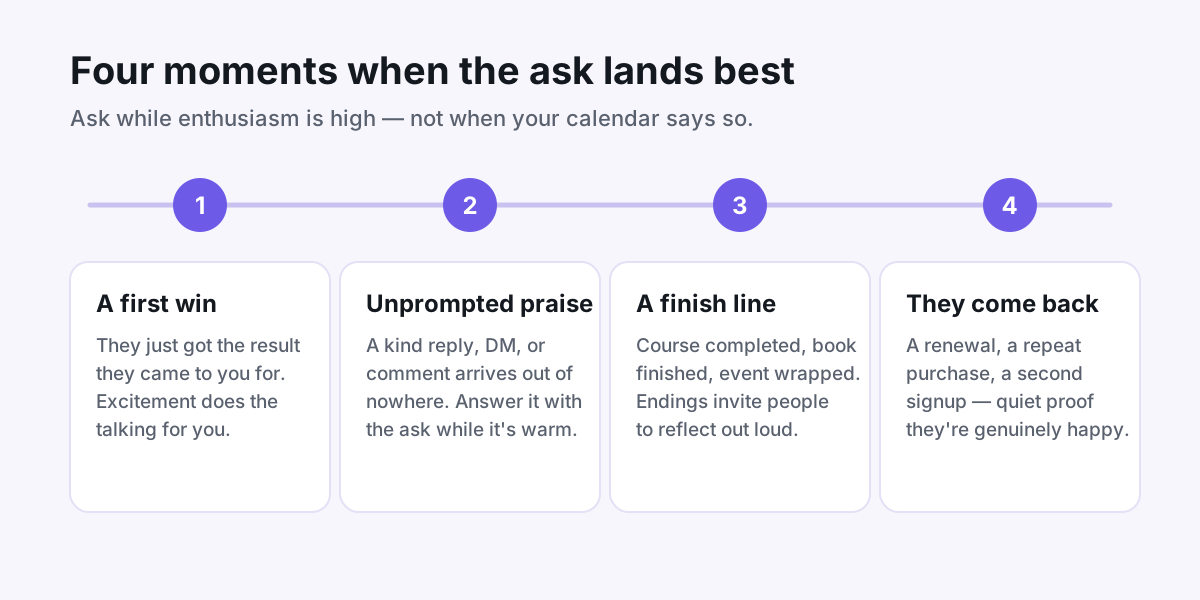
Watch for four windows:
- A first win. They just landed the result they came to you for — a finished draft, a first sale, a launched site.
- Unprompted praise. A kind email reply, DM, or comment shows up out of nowhere. Reply with the ask while it's warm.
- A natural finish line. The course ends, the event wraps, the project ships. Endings invite reflection.
- They come back. A renewal or repeat purchase is quiet proof they're happy — and a graceful opening to ask why.
Creators who ask in these windows tend to hear back within days. Asks sent "when I finally got around to it" tend to get silence — not because people changed their minds, but because the feeling faded.
Keep the ask short, personal, and specific
A good ask fits in four sentences and answers every question before it's asked. It needs:
- Why them — reference the specific thing they achieved or said.
- One question — not "share your experience," but a single prompt they can answer immediately.
- A time cap — "60 seconds" turns a vague favor into a small one.
- One link — a single tap to record, nothing to install or sign up for.
Here's a version you can copy and adapt:
"Hi [name] — loved hearing that the templates saved you a full weekend. Would you record a 60-second video about it? Just one question: what changed for you after you started using them? This link records right in your browser, no app or account needed: [link]. And it's completely fine to say no!"
That last line matters. Giving people explicit permission to decline makes saying yes feel safer — and most people who were going to say yes still do. If you're stuck on what to actually ask, steal from these questions that get podcast listeners talking on camera — they work just as well for students, readers, and clients.
Make recording a one-tap job
Every extra step between "sure!" and a finished clip loses people. If your process involves downloading an app, creating an account, or emailing a video file, expect most yeses to evaporate.
The fix is a recording link that opens straight to a camera — they tap, talk, and they're done, on whatever device they're already holding. That's exactly how one-tap recording links work: your question is on screen, the phone camera is ready, and the clip lands in your library with captions added for you.
Two small courtesies also raise your odds: tell people where the video will appear ("our testimonials page"), and reassure them it doesn't need to be polished. One take, phone in hand, dog barking in the background — real beats rehearsed.
Follow up twice, then stop
A surprising share of the clips you'll collect come from a follow-up, not the first ask. People mean to do it; life happens. A short, guilt-free nudge is a favor, not a pester.
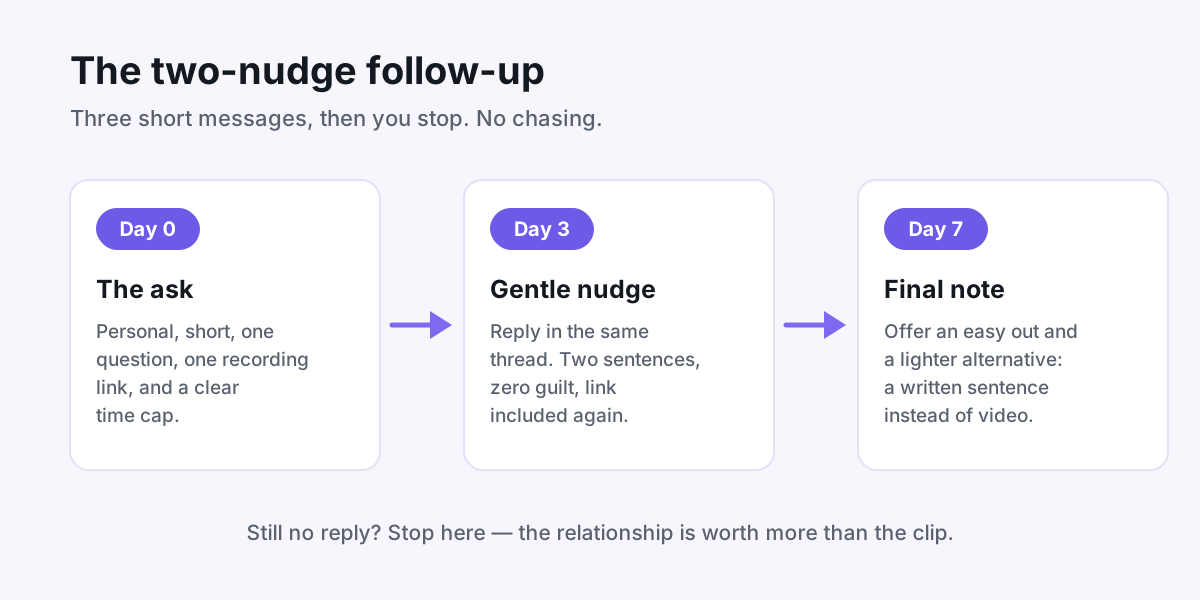
Keep each message tiny:
- Day 3: "Just floating this back up — the link takes about a minute if you get a spare moment this week. No pressure at all!"
- Day 7: "Last nudge, promise! If video isn't your thing, even a sentence or two in writing would mean a lot either way."
That written fallback is worth offering sincerely. Some people will never record themselves, but their words are still gold — here's how to go about turning written replies into subscriber-winning social proof.
After two nudges, stop. The relationship is worth more than any clip, and people notice restraint.
When the clip lands, close the loop
Reply the same day with a genuine thank-you, and once the video is live, send them the link so they can see themselves on your page. People who feel appreciated share the page with their own audience — and they say yes instantly the next time you ask.
Then put the clip somewhere it earns its keep. A testimonial sitting in a folder convinces no one; one placed next to your pricing or signup button does real work. If you're not sure where that is, start with this guide to where to embed testimonials on a course sales page — the logic applies to almost any page that sells something.
That's the whole system: catch a peak moment, ask one small specific question, make recording effortless, nudge twice, and say thank you. Try it on your three happiest customers this week — odds are at least one clip comes back.
Put your customers on camera
Collect, caption, and embed video testimonials with Wovestory — see it on your own testimonials in a 20-minute call.